

Chief Guinea Pig
Senior Guinea Pig
This tutorial is one easy way to upload videos by using your YouTube account.
To do this you must have a gmail/YoutTube account. It is free.
1) sign into Gmail/Youtube

2) click on the main homepage for YouTube
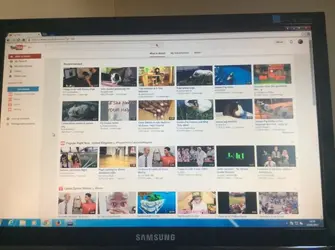
3) on the top right hand side of the screen click 'upload'

4) you will be directed to this page, click the arrow button in the centre of the screen
Ensure you have your video selected as 'public'

5) your documents will be opened, you can now select the video you wish to upload

6) depending on the length of your video it can take anything from a few minutes to an hour and a half
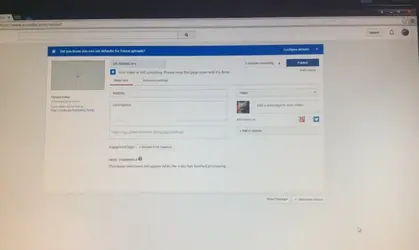
7) click 'publish' in blue at the right once your video is 95% uploaded (you will get a message showing you when to click publish)
You now have uploaded your video to YouTube!
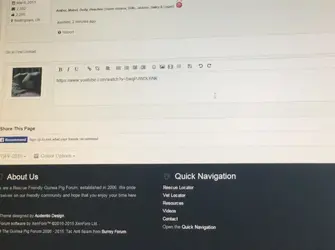
8) now click on your YouTube video and copy the browser address, then paste this onto the forum.

Done!
To do this you must have a gmail/YoutTube account. It is free.
1) sign into Gmail/Youtube
2) click on the main homepage for YouTube
3) on the top right hand side of the screen click 'upload'
4) you will be directed to this page, click the arrow button in the centre of the screen
Ensure you have your video selected as 'public'
5) your documents will be opened, you can now select the video you wish to upload
6) depending on the length of your video it can take anything from a few minutes to an hour and a half
7) click 'publish' in blue at the right once your video is 95% uploaded (you will get a message showing you when to click publish)
You now have uploaded your video to YouTube!
8) now click on your YouTube video and copy the browser address, then paste this onto the forum.
Done!
Last edited:


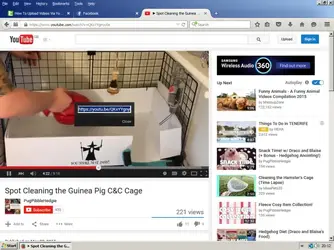

 I've always pasted from the browser and it has always worked fine

 He is very chilled, he must really love his mum